HOW TO BLOCK EXISTING DOMAIN FROM PLACING NEW ORDER IN WHMCS? [STEP BY STEP]☑️
Here in this WHMCS tutorial you will learn how to block existing domains from placing new order in WHMCS. Watch out the video to quickly learn how to block existing domains from placing new order in WHMCS. Take care of every step so that you don’t miss anything.
In order to prevent orders being placed by existing domains in WHMCS, perform the steps mentioned below:
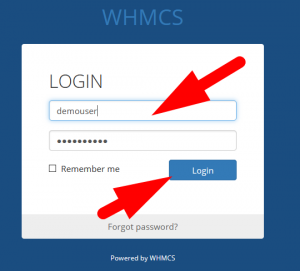
Step::1 Login to your WHMCS
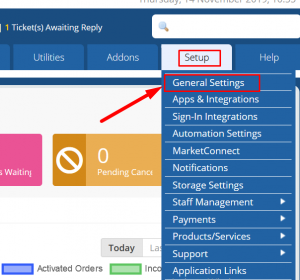
Step::2 Hover over the Setup section and click on general settings
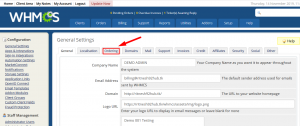
Step::3 Now jump on to the Ordering tab
Step::4 Scroll down to bottom of the page and look there for Block Existing domains option & tick on it to enable
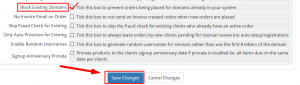
Step::5 Click on Save changes
Follow the methods mentioned in this video to block existing domains from placing new order in WHMCS.
If you enjoyed this tutorial, please consider following us on Facebook and Twitter.
Facebook Page- https://facebook.com/redserverhost
Twitter Page– https://twitter.com/redserverhost.com
If you have any query, feel free to let us know via the comments section below.
Thanks for Reading!!!
Tags: cheap linux hosting, buy linux hosting, cheap reseller hosting, buy reseller hosting, best reseller hosting, cheap web hosting, cheapest web hosting, cheapest reseller hosting, cheap reseller host, cheap linux host, cheapest linux hosting, best linux hosting, best web hosting