HOW TO CLEAR THE LOCAL DNS CACHE IN WINDOWS?[EASY METHOD]☑️
Today in this blog you will learn how to clear the local DNS Cache in Windows. Let us quick watch this video to know how to flush the Local DNS cache in Windows.
You can flush your local DNS cache in Windows by following these easy steps:
- Open Start menu
- Click Run
- Type cmd and press enter
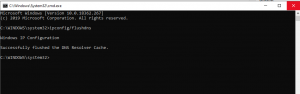
- In the Command Prompt type ipconfig /flushdns and press Enter
ipconfig/flushdns
Check out the screenshot below for your reference:
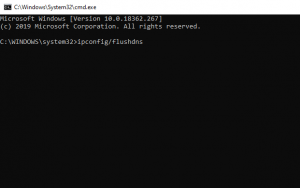
The DNS cache is now clear.
That’s it!!!
We hope you have found this tutorial useful on how to flush your Local DNS Cache via cmd.
If you enjoyed this tutorial, please consider following us on Facebook and Twitter.
Facebook Page- https://facebook.com/redserverhost
Twitter Page– https://twitter.com/redserverhost.com
If you have any query, feel free to let us know via the comments section below.
Thanks for Reading!!!
Tags: cheap linux hosting, buy linux hosting, cheap reseller hosting, buy reseller hosting, best reseller hosting, cheap web hosting, cheapest web hosting, cheapest reseller hosting, cheap reseller host, cheap linux host, cheapest linux hosting, best linux hosting, best web hosting